Never forget anything.
Knot is an iPhone reminder app for the things that matter. Set it in two taps; it is created as a real Apple Reminders item and keeps waiting for you until you mark it done.
Coming soon to the App StoreFree to start. iPhone only. No account needed.
How it works
- 1
Write it down
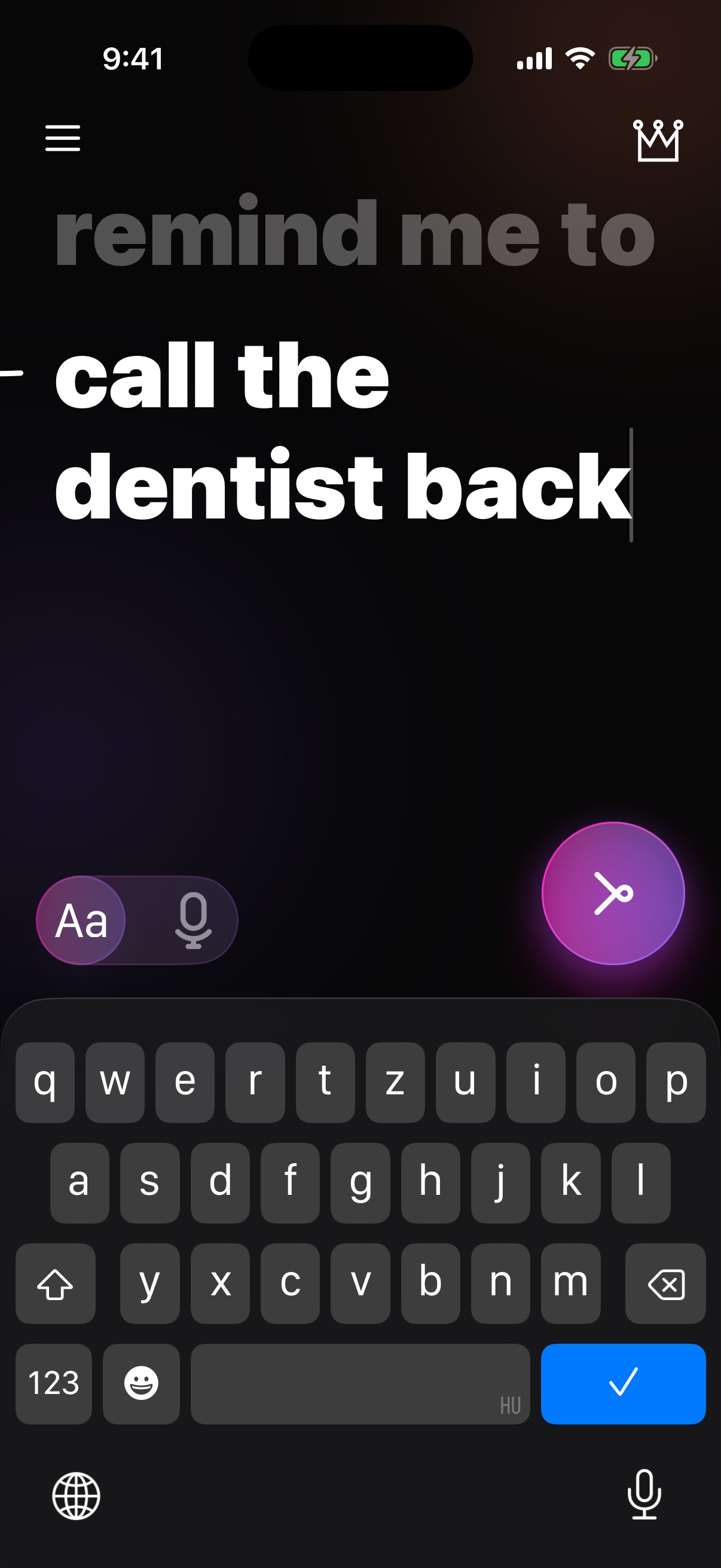
Type or say what you must not forget and send it. No date or time to pick: two taps and it is tied.
- 2
It shows up right away
Knot creates a real reminder in Apple Reminders, due right away, so iOS delivers it where it shows reminders, including the Lock Screen.
- 3
Mark it done
Your list in Knot shows everything still waiting on you. Finish it, mark it done, and it is gone.
How long a reminder stays visible depends on your iOS version and your Focus, notification and Reminders settings. Please make sure notifications are allowed for Reminders.
Free and Pro
Start without paying
- Up to 3 reminders per day
- Your list of everything still waiting
- Home Screen and Lock Screen widgets
- No account, no trial to cancel
For the busy days
- Unlimited reminders per day
- Dictation: say your reminder instead of typing it
- Hourly repeats: Knot reminds you again every hour until it is done
- Price: $39.99 / year
Knot Pro is a yearly auto-renewing subscription billed through your Apple ID. Manage or cancel it any time in Settings > your name > Subscriptions. There is no free trial.
Questions
How is Knot different from Apple Reminders?
Knot is built on Apple Reminders: it creates real Reminders items, so they work with iOS. What Knot adds is a focused way to create them in two taps, a calm list of what is still open, a clear moment of “done”, and dictation and hourly repeats in Pro. Your reminders also stay in your own Reminders app.
Do I need an account?
No. You can use Knot without signing up. Subscriptions are handled through your Apple ID.
What about my privacy?
The text of your reminders stays on your device and in your own Apple Reminders / iCloud account; it is never sent to our servers. Knot uses analytics tools only if you allow it, and you can switch them off any time in the app menu. We do not sell your data or use it for advertising. Details in the Privacy Policy.
Will a reminder really stay on my Lock Screen?
Knot uses Apple's own reminders, so it follows what iOS does. We cannot guarantee how iOS displays them on every version or with every Focus and notification setting, so please check your settings.
Can I say a reminder instead of typing it?
Yes, with Knot Pro. Knot uses Apple’s speech recognition to turn your voice into text. Depending on your device and language, Apple may process the audio on its servers; we never receive it.